Capital Expenditure
Capital Expenditure projects are one-time purchases in large quantities that are not part of normal operating procedures. Projects are allocated with a budgeted amount, which the system monitors and updates in the system when purchases are made.
Eatec allows users to create capital expenditure projects and track various inventory transactions under a capex project.
This module allows users to create projects and allocate a budget. Any transaction that is linked to a project, the expenses are incurred from the budget amount and the account that is linked to the project.
Users can create, modify, and deactivate capital expenditure projects. Capital expenditure projects are created for a site and are restricted to that site only.
The budget amount for a child capital expenditure project must be greater than the parent project’s uncommitted amount.
The expiration date for a child project must not be greater than the parent project’s expiration date. The expiration date for a capital expenditure project cannot be a past date. It can either be a current date or a future date.
Users can perform the following functions under Capital Expenditure:
-
Create new capital expenditure project
-
Modify capital expenditure project
-
View capital expenditure project
-
Deactivate capital expenditure project
-
Track requisitions under a capital expenditure project
-
Track transfers/transfer-outs under a capital expenditure project
-
Track purchase requests under a capital expenditure project
-
Track purchase order under a capital expenditure project
-
Track receiving/RNI under a capital expenditure project
-
Track spoilage & loss under a capital expenditure
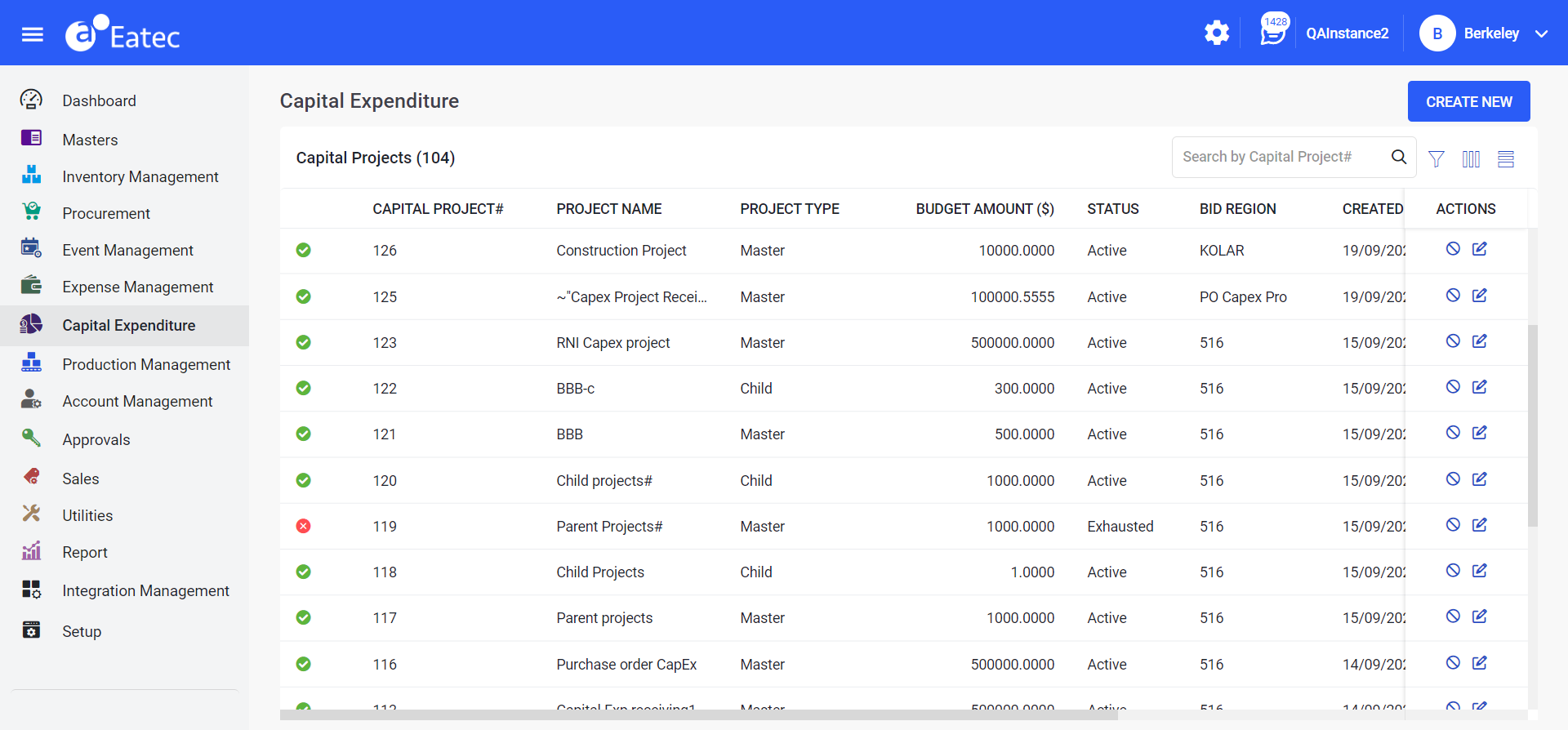
Click Capital Expenditure from the left navigation menu. The Capital Expenditure page appears with the list of created/saved capital expenditure projects that includes the following details:
|
Field |
Description |
|---|---|
|
Capital Project # |
The capital project number or ID that is auto generated when the CapEx project is created. |
|
Project Name |
The name of the CapEx project. |
|
Project Type |
The CapEx project type. The following are the project types:
|
|
Budget Amount ($) |
The allocated budget amount of the CapEx project. |
|
Status |
The status of the CapEx project. The following are the types of status:
|
|
Bid Region |
The bid region where the CapEx project belongs to. |
|
Created Date |
The CapEx project creation date. |
|
Expiration Date |
The expiry date of the created CapEx project. |
|
Created By |
The user who created the CapEx project. |
|
Actions |
This column includes the following functions:
|